
Getting your H1 tags right is super important for SEO. Here are the main things I learned about making them work best.
Key Takeaways
- Use only one main H1 tag per page to clearly state the topic.
- Make sure your H1 tag is similar to your page’s title tag.
- Structure your content logically using H2s and H3s, never skipping levels.
- Write H1 tags for people first, then think about search engines.
- Use keywords naturally within your H1 and other headings.
What Is an H1 Tag in SEO?
Therefore, what is an H1 tag in the realm of SEO? Consider it the title of your website page. This is the most crucial heading, the large title which tells both visitors to your page and search engines such as Google what your page is about.
At the beginning of learning about websites, I was initially under the impression that the title tag was the only large heading, but that isn’t the case.
The HTML element H1 is a user seen element. Unlike the <title> tag, which is more similar to metadata that appears in browser tabs and search results. The text is right there, in actual fact, on your actual web page.
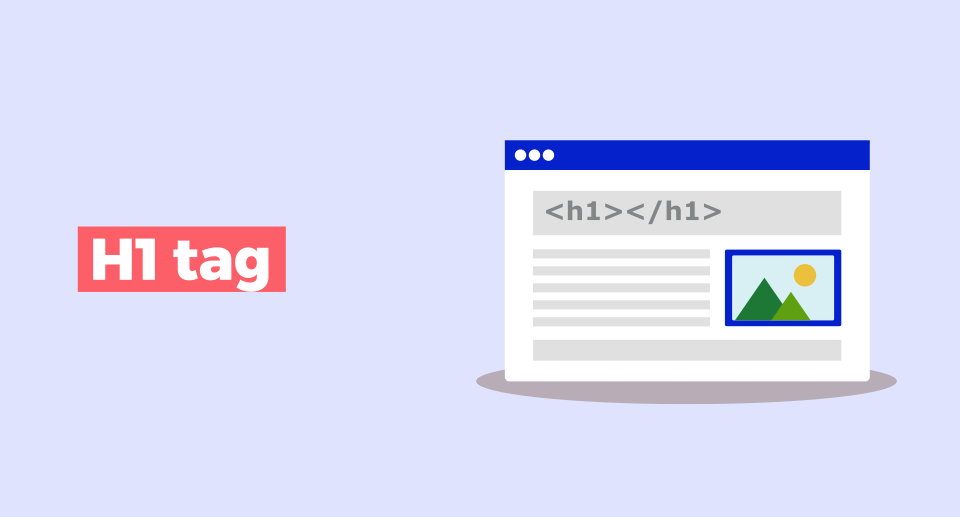
Here’s a simple way to see it in HTML: <h1>This is the Main Heading of My Page</h1>
But it’s not only about making text large or bold. It may be styled that way by default by a browser, but the primary purpose of the H1 is to clearly define the primary topic of the page. It’s a bad idea to use it solely for the sake of appearance as it can wreak havoc on your page’s accessibility and the way search engines index it.
So what is so important? Well, it helps to structure your content. This is the first thing a person reads on a page, and should let them know they have arrived at the correct location. If it doesn’t come across as what they are searching for, they will most likely click away quickly, which is not good for the performance of your website.
The H1 tag is the primary structural marker for your content. It’s the first signal to everyone, including search engines and AI systems, about the core subject matter of the page.
Search engines use the H1 to help them determine what the content is about, particularly if it is new. It gives them a structure to help them determine what your page is about and how it relates to other subjects.
It’s crucial for ensuring your content is interpreted as you intended, which’s especially important with tools like AI Overviews becoming increasingly widespread.
Why H1 Tags Are Important for SEO

But why do you need to use H1 tags? We all know that SEO is complex, and at times it only feels like throwing spaghetti at a wall to see what sticks. But H1 tags? Well, they are quite significant, not just for search engines, but for human beings as well.
Firstly, consider the page that you come to. What is the first thing that you see? Typically, it will be that large and prominent heading at the top. That’s your H1.
It serves to communicate to you, “Yes, you are where you need to be! If you can’t find the H1 you were looking for based on the link you clicked, you’re going to hit the back button very, very soon.
This is what’s known as a “bounce,” and when a lot of people bounce, it’s picked up by search engines such as Google.
It’s as if someone is putting up a little red flag that “hey, maybe your page isn’t quite on point at what people are looking for.” More than 90% of the highest ranked pages utilize them, so it is a fairly safe bet that they are working their magic.
Here’s a quick breakdown of why they matter:
- User Clarity: It’s the first thing a visitor sees, confirming the page’s topic instantly. This helps people decide if they want to stick around or keep looking.
- Content Structure: The H1 sets the stage for everything else on the page. It tells visitors (and search engines) what the main subject is, and then the H2s and H3s break down the details.
- Accessibility: For folks using screen readers, headings are like a roadmap. A clear H1 is the starting point, making it much easier to understand the page’s layout and content.
Search engines pay attention as well. They don’t just rank you based on an H1, but it does help them to know what the main topic of your page is.
Think it is as if you are giving Google a concise and clear overview of your content. This can be particularly useful for new content or if the search engine is attempting to understand the specific intention behind a search query. They leverage this data to pair your page up with the appropriate search queries.
The H1 tag acts as a primary anchor for both human readers and automated systems. It provides a clear, immediate signal about the page’s core subject, influencing how quickly a user perceives relevance and how accurately search engines and AI models interpret the content’s purpose.
But it’s not just about conventional search results anymore. AI systems are becoming more intelligent and they tend to extract data from portions of web pages.
This can be crucial for these AI systems to grasp the core of your content, increasing the chances of it being part of the AI-generated responses. These systems are easier to use and understand your content, if your H1 is clear and specific. So, yes, it’s worth getting the H1 tags right.
SEO H1 Tags Best Practices You Should Follow
We have now discussed what H1 tags are and why are they important. Now a few words about the practical use of them right. It’s not simply about placing a title on your page, there is more to it if you wish to please the search engines and more importantly people.
The golden rule: One H1 tag per page. Come on, use only one. The HTML specification may technically permit multiple main headings in some cases, but it’s easier and clearer to have only one main heading for SEO and accessibility.
Provides search engine and screen readers with a definite indication of the page’s intent. Using more than one H1 is just going to all create a level of confusion and really isn’t worth the headache. This is one of the fundamental rules of structured content parsing.
Next, ensure that all the H1’s you use on your entire website are different. Simple, it is obvious, but you would be surprised at how many times this is forgotten, particularly when using a template site.
Google could be confused by a number of pages sharing the same H1, for example “Blog Posts” or “Our Services.” This may result in keyword cannibalization, in which your pages battle with one another. These can be easily identified by using a tool such as Screaming Frog.
Consider what real people typed into Google to end up on your page when you’re creating your H1. Your H1 should reflect this search intent. Don’t simply jam a bunch of keywords into it – make it descriptive and helpful.
Your H1 should clearly include words that indicate the best vegan chocolate chip cookie recipe, instead of just vegan cookies.
It’s okay if it’s not very long, either. Try to keep it between 50-60 characters. Long headings may get truncated in search results, and they can push your content further down the page, which isn’t ideal for user experience, particularly on mobile. Also, the shorter the H1, the less it is likely to be superseded by Google in the search results’ title.
Here’s a quick rundown of what to aim for:
- One H1 per URL: Keep it simple and clear.
- Unique H1s: No duplicates across your site.
- Match Search Intent: Speak the user’s language.
- Concise: Around 50-60 characters is usually best.
- Title Case: Capitalize the first letter of each major word for readability.
- Align with Title Tag: The H1 and title tag should convey the same core message, but they don’t need to be identical.
Planning your heading structure before you start writing content is a game-changer. It forces you to think about the logical flow and ensures your H1, H2s, and H3s all work together to support the main topic. If you can’t outline this easily, your page might be trying to cover too much ground.
Last, but not least, don’t use an H1 tag for styling. It is a structural element and not a design tool. Its improper use disrupts the semantic structure of your page and is harmful for all of you, especially users with assistive technologies.
Keep in mind that you’re not just filling out a checklist, but making content that is easy to access and understand for all users.
H1 Tag vs Title Tag: What’s the Difference?

As I’ve been asked numerous times: What is the actual difference between an H1 tag and a title tag? It’s simple to confuse them, as both speak about the content of your page. But in fact they do other work, and understanding the difference is highly relevant to the kind of traffic that you’ll get on your pages.
In other words, the title tag is what makes people click on your link in the search results. It is similar to the headline of newspaper. It should be catchy and should inform people about the reason to read your article.
The H1 tag, however, is the primary heading that appears on the page. By clicking through, the H1 will tell them that they are in the right spot, and explain what the page is really about. It’s the on page title, you might say.
Here’s a quick breakdown:
- Title Tag (
<title>): This lives in the<head>section of your HTML, so it’s not visible on the page itself. You see it in the browser tab and, most importantly, in the search engine results pages (SERPs). Its main job is to attract clicks. - H1 Tag (
<h1>): This is part of the<body>of your HTML and is the big, bold heading you see right at the top of your content. Its job is to clearly state the page’s main topic for the visitor who has already landed there.
They need not be exactly the same; but they should be on the same page, topic-wise. When your title tag offers one thing and your H1 offers another, users will be thrown off and that won’t do anyone any favors.
If Google deems that the H1 is a better match for the search query than the title tag, then they may show it as the title in search results, so it’s important to get the H1 right.
While they serve different purposes, the H1 and title tag should always be thematically aligned. This consistency helps search engines understand your page’s focus and reassures users they’ve found what they were looking for.
Note too that the H1 is not intended for search engines only. It’s a key part of making your content accessible. Screen readers use it to provide users with a sense of structure for the page; people who scan the content quickly may use it to determine whether they are in the proper place.
Therefore, a well written and clear H1 is for the betterment of search bots and actual humans reading your content. If you want to learn more about how search engines evaluate your content, consider reading how search engines work.
They may look the same, but remember, the title tag is your hook in the search results and the H1 is your confirmation on the page. They are both in need of attention, but for their own reasons.
Examples of Well-Optimized H1 Tags

Now let’s see some practical examples of H1 tags that are in use. It isn’t simply a case of trying to pack in some keywords, it’s about making the point of the page clear to people and to the search engines. Imagine it’s a main headline in your article or page.
I generally try to make each H1 as concise and descriptive as possible when I am creating it. It should be approximately 50-60 characters. This is a good length as it typically doesn’t get cut off on mobile and makes Google show it in search results properly. Plus, it makes me “go straight to the point.
Here are a few examples I’ve seen or used:
- For a blog post about baking bread:
Easy Sourdough Bread Recipe for Beginners - For a product page selling running shoes:
Men's Lightweight Trail Running Shoes - For a service page offering web design:
Affordable Web Design Services for Small Businesses - For a guide on gardening:
How to Start a Vegetable Garden: A Step-by-Step Guide
See how they clearly state the topic? They also frequently contain a main keyword that somebody might be looking for. For example, in the first example, you will see ‘sourdough bread recipe’ right by it. This can make it easier for search engines to understand the page’s primary topic, a major aspect of on page SEO.
Also, it is crucial to have an H1 tag that matches what the user is expecting once they click on a search result. If a person clicks links for “best coffee makers” and ends up on a page with a header that reads “Kitchen Appliances,” chances are that they’ll bounce. That doesn’t match tells Google that the page didn’t meet the searcher’s intent.
The H1 tag is your page’s main statement. It needs to be clear, relevant, and match the user’s search query. It’s the first thing a visitor sees, so it has to make sense immediately.
I always check if the H1 tag is unique on every page, when auditing a site. Having the same H1 tag on multiple pages can confuse search engines, making it hard for them to figure out which page is the most relevant for a specific search.
These can be easily identified using tools such as Screaming Frog. It is a quick and easy solution that can improve your pages’ performance.
How to Audit and Optimize H1 Tags on Your Website
After reading about the importance of H1 tags for your site’s SEO, you’ve probably got a question: So, how can I check my H1 tags and how can I improve them? Actually it’s nothing to be scared of. Generally, I will skim a couple of pages to see how things are going.
So, before you can work with it, you need to see what you are working with. To check on one page, I just right click on the main heading and choose “Inspect” or “Inspect Element.”
It will open up the developer tools, and I’ll see if that heading is enclosed in an <h1> tag. But some people use the <h2> tags – or even the <div> tags – for style, which effectively undermines the purpose.
To see all the H1s on a page, you can view the page source (usually Ctrl+U or Cmd+U) and search for <h1. You’re looking for just one. If you see more than one, it’s a warning sign.
If you have a large number of pages, I think it’s much more efficient to use a tool for a larger picture. A popular option is to use Screaming Frog. You perform a crawl of your site and there’s a tab for it that contains the H1s.
It can help you in no time at all identify pages that lack an H1, duplicate H1s on pages with multiple URLs, or excessive H1s on a page.
There are also tools you can use, such as Semrush or Ahrefs, and they will have site audit tools that will point to these issues of H1. It’s simply a matter of getting a list that is clear.
Here’s a basic checklist I run through:
- One H1 per page: This is the golden rule. No more, no less.
- Unique H1s: Make sure the same H1 isn’t showing up on multiple pages.
- Keyword relevance: Does the H1 clearly state what the page is about, ideally including your main keyword?
- Alignment with Title Tag: The H1 and title tag should tell a similar story, though not necessarily be identical.
- Length: Aim for around 50-60 characters. Too long and it gets cut off, too short and it might not be descriptive enough.
- No skipped heading levels: If you have an H1, your next heading should be an H2, not an H3 or H4.
When you’re auditing, don’t just look at the H1. Check the entire heading structure (H1 through H6). A messy hierarchy, like jumping from an H1 straight to an H4, confuses both users and search engines. It’s like giving someone directions but skipping a few street names – they’re going to get lost.
After you’ve come up with a list of issues, you have to prioritize. Typically I work on pages that get a lot of traffic first. When a page has already been getting clicks, optimizing the H1 tag will preserve those clicks and potentially improve the page’s traffic.
Then I check out pages that are close to ranking well (such as pages on page 4 and 5 of Google’s search results) and pages that are supposed to convert visitors (such as product and service pages).
H1s on these pages can make a difference. If you make changes to individual pages, you can use a H1 tag checker tool to quickly check individual pages to make sure all changes are correct.
You’re using a website platform such as WordPress, be careful of themes that place the site logo directly into an H1 tag. If your page title is an H1, this can result in duplicate H1s.
Some plugins such as Yoast SEO or Rank Math may have an option to set the H1 on your own, which is very convenient. Remember to keep an eye out on your H1 headings after making changes across your site and after updating themes.
Frequently Asked Questions
What exactly is an H1 tag?
An H1 tag is like the main headline for your webpage. It’s the biggest and most important heading that tells everyone, including search engines, what the page is all about. It should be the very first heading on the page.
Why are H1 tags so important for my website?
H1 tags help search engines understand your page’s main subject. They also help people quickly see if they’re in the right place. Good H1 tags make your page easier to read and can help it show up better in search results.
Can I use more than one H1 tag on a page?
It’s best to use only one H1 tag per page. While some websites might technically have more, search engines often get confused or ignore the extra ones. Stick to one primary heading to keep things clear.
Should my H1 tag have a lot of keywords?
You should use keywords in your H1 tag, but don’t stuff it full of them. Write it in a way that makes sense for people to read. Natural language is way better than just a list of words. Think about what someone would actually search for.
How is an H1 tag different from a title tag?
The title tag is what you see in the browser tab and in search results. The H1 tag is the main heading that appears on the actual webpage itself. They should talk about the same topic, but the title tag is shorter and made for search results.
What happens if I skip header levels, like going from H1 to H3?
Skipping header levels messes up the structure of your page. It’s like jumping pages in a book instead of reading them in order. This can confuse both readers and search engines, and it’s also bad for people who use screen readers to access your site.