
Recently, I have been experimenting with various AI writing platforms as a content creator, exploring all the options available for such purposes. It is amazing to see how many different solutions appear on the market every other day, each claiming to revolutionize the process of writing.
It is a little challenging at times to distinguish between the ones that truly perform well from those that are just another marketing gimmick. Therefore, I have chosen to review several popular AI writing platforms and provide my feedback about their performance.
Key Takeaways
- AI writing tools can speed up content creation and help with various writing tasks.
- Different tools are better suited for specific needs, like generating text, assisting with writing, or SEO.
- Natural Language Processing (NLP) and Large Language Models (LLMs) are the technologies behind most AI writers.
- Consider your budget, desired features, and ease of use when choosing an AI writing tool.
- While AI tools are helpful, they should be used as assistants, not replacements for human creativity and critical thinking.
1. ChatGPT
It might seem like ancient history already, but ChatGPT did make quite the entrance a couple of years ago, and it definitely revolutionized many processes in terms of my content writing needs. One of the best things about this software is its accessibility – it’s so convenient to log in and ask it anything.
In my experience, it is very important to know how to formulate my requests in order to receive relevant output. This technology cannot simply guess what kind of work should be done and what exactly should be incorporated.
This is how I use ChatGPT:
- Idea Generation: When I’m feeling stuck, I’ll ask it to come up with ten ideas for a blog post title on [topic] or various ways to look at [subject].
- Drafting Sections: When I have an outline ready, I will ask it to draft a paragraph or two about a certain point that I can later refine and expand.
- Rewriting and Simplifying: I will usually paste in some text that I’ve written myself and ask ChatGPT to reword it.
- Research Assistance: I can get a lot of information compiled on any particular subject pretty quickly.
The real power of ChatGPT isn’t just in generating text, but in its ability to act as a sounding board and a tireless assistant. It can help you overcome writer’s block and speed up the initial stages of content creation significantly. Learning how to write effective prompts is a skill in itself, but one that pays off quickly.
Though the free edition is very effective, I occasionally opt for the premium one in order to receive quicker answers, especially when dealing with peak periods. Another useful function it provides is document analysis, which allows users to upload PDF or other file types and have the tool identify the most important information from there.
2. Claude (Anthropic)

One of the most consistent things that I have observed while researching AI writing tools was that the tool called Claude by Anthropic always showed up. While being among the popular tools, it has its own characteristics, and one of them, in my opinion, is a great ability to follow directions. In other words, it takes everything that the user asks it to do seriously, and I think this is something that should not be underestimated.
Having used this AI for some time, I can highlight the following:
- Instruction Following: This is where Claude really shines. If I give it a set of rules or a specific tone to follow, it usually nails it. This makes it great for maintaining a consistent brand voice across different pieces of content.
- Code Writing: While I’m not a coder myself, I’ve seen it handle code generation and explanation pretty well. It seems to produce cleaner code with fewer mistakes, and it can break down what the code does in simple terms.
- Automation: Claude has this feature where it can work with your computer files and tools without you needing to write any code. This is pretty neat for automating repetitive tasks, even if you’re not super tech-savvy.
It feels like Claude is built for more structured tasks. I’ve heard from others that it’s particularly good for maintaining brand identity in content creation, which makes sense given its ability to stick to guidelines.
3. Arvow

I have been experimenting with Arvow recently, and there are some cool features that may come handy in case you need to create some unique content that would perform its designated tasks perfectly, whether it is gaining high ranks in SERPs or becoming viral on the Internet.
However, one feature that impressed me greatly is the possibility of creating an entire article from your video content. In case you have a lot of video material on YouTube or other platforms and want to transform it into blog posts, it can save you much time. The tool is optimized for SEO, which will help to reach success with your articles.
So here are some of my favorite features:
- Video to Blog Post Conversion: This one stands out. In case you already have a YouTube channel or other video content, Arvow will assist you in converting it into a blog post in an easy way.
- AI-Powered SEO Writing: It’s all about writing copy that is not only SEO-optimized but also natural-sounding at the same time. That’s difficult enough, but it looks like Arvow knows the trick.
- Content Optimization: Beyond just writing, it helps refine your existing content to perform better. This means looking at what’s already out there and figuring out how to improve it.
Arvow focuses on making AI writing practical for real-world content needs, like SEO and repurposing. It’s less about creative writing prompts and more about getting your message out effectively online.
This is definitely something you want to look into if your objective is to generate content that not only is readable but also searchable. I am just scratching the surface with it but the opportunities that it can bring about in optimizing my process, especially when working with videos, are quite evident.
4. Copy.ai
Among the various platforms I explored while researching AI-based writing tools, Copy.ai appeared repeatedly. This platform seems particularly designed for quick turnaround, especially for marketing purposes. In terms of usability, it was rather easy to navigate through.
As you may already guess, it takes the form of a prompt-and-answer system. Copy.ai provides a variety of templates, ranging from more than 45 different types of writing, including blog post suggestions, social media captions, or web content.
There’s also an interesting tool called Brand Voice that allows you to provide a piece of text and get writing similar to your brand voice.
The following features I find particularly helpful:
- Lots of Templates: With over 45 templates to choose from, there’s no shortage of options here.
- Brand Voice: A neat way to maintain a consistent voice in AI-written texts.
- Multilingual: The platform supports more than 25 languages.
It’s not perfect, though. Like most AI tools, you really need to read through what it generates. Sometimes it can be a bit generic, or just not quite hit the mark accuracy-wise. You’ve got to be the editor.
Copy.ai is a flexible tool that simplifies brainstorming and offers an effortlessly navigable platform. While it excels at generating content, users should be mindful of the potential risk of losing unique personal expression in the output.
There is also a free version offering 2,000 words per month, which would be a great option for those willing to give it a try. For those looking for something bigger, starting at $49 per month will provide you with a subscription including several users, which is a great option if you are working on a team. Copy.ai will be a good fit for any team in need of fast copywriting ideas.
5. Writesonic
Writesonic is a tool that I keep going back to whenever I am tasked to produce tons of content fast, particularly for marketing purposes. The interface of Writesonic is quite easy to use, which makes it convenient to use in cases where I find myself pressed for time.
The tool allows you to select the type of content you would want to create and provides various options. In my experience, I have used the software to write social media content as well as website content and have always gotten a decent starting point.
Something that I really like about Writesonic is the emphasis it puts on SEO. The tool features the SEO Checker, which allows me to be sure that the content I will generate will be optimized for search engines even while I am still creating it.
That said, here is how I usually use Writesonic:
- Choose a template: They have over 100, so there’s usually something that fits what I’m trying to do.
- Provide some input: This could be a topic, some keywords, or even a link to existing content.
- Generate and refine: Writesonic spits out a few versions, and I pick the best one to tweak.
It also has a function called Brand Voice, which is pretty cool and analyzes your style based on previous content, so that the generated text will sound more like me or my brand. It does not work perfectly, and at times I have to do some editing too, but it saves me a lot of time.
The pricing can get a little confusing, especially when you start looking at different word counts and quality levels. It’s easy to spend more than you initially planned if you’re not careful.
In general, Writesonic is a great option for anyone who needs to generate large amounts of marketing and website content without spending too much money. It is an application that can help marketers gain an edge over their competitors.
6. Grammarly
Once I have finished my first draft, I move to the editing stage which is where Grammarly fits in perfectly for me. Grammarly is not a content generator like the other tools mentioned, but it is great for ensuring that whatever I have already created is accurate and sounds right.
When I copy my document in the Grammarly editor, I get a score depending on certain criteria:
- Correctness: This takes care of all the basics – grammar, spelling, punctuation. It highlights the mistakes in my work.
- Clarity: It offers suggestions on how to improve the clarity of the sentences. At times, I create sentences which are unnecessarily complicated and complex.
- Engagement: This tries to help make my sentences more engaging. The tool helps add a flair and flavor to the language used.
- Delivery: This checks for my writing tone. It gives me tips depending on whether I am trying to be formal or confident or some other tone.
Apart from the grammatical and spelling errors, there is another tool called the GrammarlyGO. This is an additional feature provided by the Grammarly website to its users that allows me to edit my sentence structure or provide suggestions about where I can make it shorter. This tool is very convenient when working on a co-authored paper or editing certain sections of the text.
Sometimes, the suggestions are spot on, and other times I ignore them. It’s a tool, after all, and I’m still the one in charge of my own words. But it definitely helps me catch things I would have missed on my own.
Grammarly is not flawless, and there may be cases when the citations suggested are not entirely accurate, but it works well for general editing purposes to polish up your content. They offer a free version that is decent, but I go with the Premium plan due to the additional benefits, including unlimited AI prompt access and plagiarism detection.
7. Surfer SEO

From my first explorations of AI writing aids, Surfer SEO has been a common name. Unlike some other services, it is not a content generator, but it is an excellent resource for ensuring that your writing will attract attention and get noticed. It can be considered as your SEO copilot.
The principle of Surfer lies in analyzing the current ranking pages on Google with regards to your desired keyword. It splits the article and provides you with information about the winning features. Therefore, you receive a certain list of recommendations, such as:
- Keywords: What terms are the top articles using?
- Structure: How are they organizing their content with headings and paragraphs?
- Word Count: How long are the successful pieces?
- Images: Are there specific types of visuals being used?
It ranks your writing based on its proximity to the standards that these high-performers meet. This was very useful in realizing what Google expects from you. It is not only about using lots of keywords; it is also about writing a comprehensive article.
Surfer helps you understand the competitive landscape for your topic. It shows you what’s working for others so you can adapt your own strategy. This kind of data-driven approach takes a lot of the guesswork out of SEO.
They also have an AI writer, but its key feature lies in helping you generate optimized content right from the get-go. It integrates with other software like Google Docs and WordPress, making it very easy to use.
However, if you want your content to be ranked highly, then I would recommend looking into Surfer. Although it is not cheap compared to other similar software, it surely gets the job done.
8. Rytr
One such AI writing tool that does its work well without much ado is Rytr. This tool works perfectly well when it comes to offering good value for money. Rytr comes packed with numerous templates, more than 40 to be precise, called ‘Use Cases’. These templates cater to a range of needs, such as creating blog content, emails, product descriptions, and advertisements.
Apart from simply providing text-generating capabilities, this tool offers several interesting functionalities. From SEO keywords research to generating unique ideas, Rytr provides everything. For example, when you’re stuck with ideas and not sure what to write, it helps you brainstorm video content or even songs.
Following is the list of features that struck me as quite useful:
- Variety of Use Cases: From standard marketing copy to more creative stuff like story plots.
- Tone Options: You can pick from more than 20 tones to get the right feel for your content.
- Plagiarism Checker: It checks the generated text for plagiarism, which is a big plus for me.
Rytr offers a free plan that lets you generate up to 10,000 characters a month. It’s a great way to test the waters before committing to a paid plan, which starts at a really reasonable price. I think it’s a good option for anyone just starting out or needing a reliable tool for general content creation. Check out Rytr’s features.
It may not be the most sophisticated software available, especially when it comes to more specific tasks, but for general content writing purposes, it’s definitely a good choice.
I’ve tried it myself for fast social media updates and even content outlines, and the output quality was acceptable. The user interface is also quite simple to navigate, so there will be no need to waste time figuring out how the tool works.
9. Sudowrite
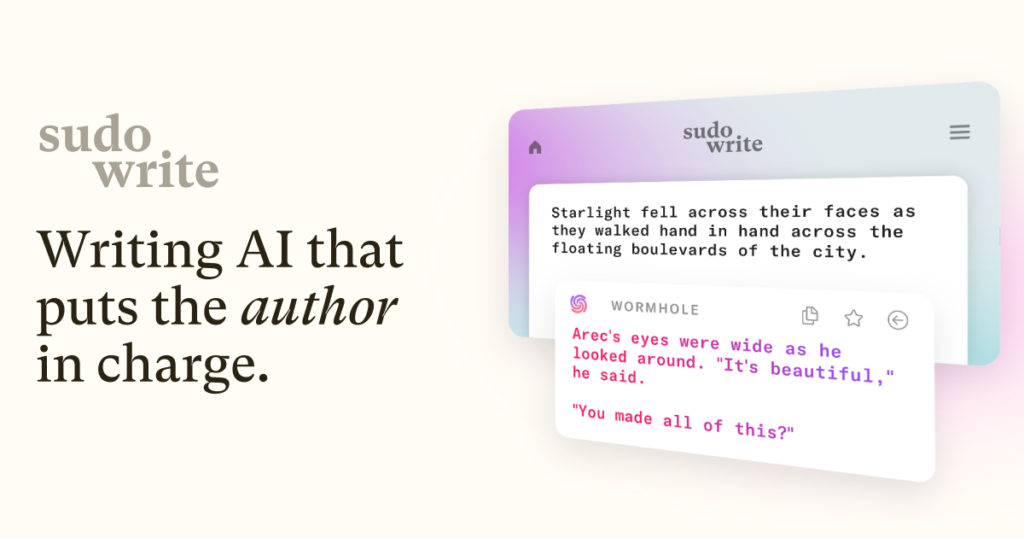
Alright, if you are a writer who writes novels or any fictional stories, then the use of Sudowrite will be quite intriguing. This software isn’t made for blog posts and marketing; instead, it is meant for creative writings like fiction stories and the likes.
In essence, what makes me like this application is its functionality that breaks down writing process into stages and helps at each step.
At the beginning of a project, one faces problems finding an idea to write about. For that reason, Sudowrite offers a brainstorming tool, which is used in generating different ideas related to your writing process including characters, settings or plot.
After brainstorming, one moves on to creating a ‘canvas’ where he/she will begin working on the generated ideas.
However, once I start writing, there are many useful functions offered by Sudowrite that help me to stay productive. For instance, if I get stuck while writing, it is able to write several sentences or even an entire paragraph for me.
Furthermore, there are various functions that allow one to rewrite or extend certain passages in case one feels that the passage is not enough or written improperly. In addition, there is a special feature called “Describe,” which helps me to create sensory details for my work.
I’ve found that the ‘Feedback’ tool is surprisingly useful. It gives me a few pointers on where my writing could be better, and I can run it as many times as I need. It’s not perfect, but it’s a good way to get a fresh perspective on my work.
Sudowrite is not a free tool, but it’s not too pricey either, considering its purpose. Its cost begins at $10 per month. This sounds like a fair price for the specialized tool that it is, specifically for fiction writers. If you find yourself struggling to come up with an idea, then Sudowrite may be a useful tool for you.
10. Jasper AI
Jasper AI is one of the top players in the market of AI content generators. In my opinion, this tool is great. It allows generating large amounts of business content fast, which is essential when you need to meet deadlines. What I like about Jasper is its extensive library of templates.
Over 50 types of content, including articles, social media posts, ads, and product descriptions, are available. Templates save you time and effort, allowing you to start writing right away without thinking of what you should include.
I was impressed by the variety of languages supported by the platform. You can generate text in English, Spanish, German, French, Dutch, Russian, Japanese, Italian, Portuguese, Chinese, Arabic, and Korean. Additionally, the software offers a “Brand Voice” feature.
It learns from the texts you provide and ensures your new content sounds like the rest of your material. The AI algorithm understands your brand’s voice, so you don’t need to worry about consistency. Also, this tool has an API and works as a Google Chrome extension.
While Jasper is fantastic for churning out a lot of content quickly, especially for marketing purposes, it does take a little bit of time to get the hang of all its features. It’s not quite as simple to pick up as some other tools out there, but the payoff in terms of output is usually worth the learning curve.
They also provide a chatbot function that works perfectly for brainstorming sessions and fast feedback on your writing.
In case you need pictures, there is a built-in art module that creates images based on text. They seem to have everything you could possibly need as a company that requires content on a regular basis.
They provide a 7-day free trial period that is convenient to test out their service before purchasing it. The only downside here is that you have to enter your payment information right away.
This is truly a working tool designed to boost productivity, and I can definitely say that it helped me with a lot of projects.
Head-to-Head Comparison: Which AI Tool Should You Use?

In short, you have seen the list of AI writing assistants, and by now you must be thinking – which one is the most suitable for you? Unfortunately, the correct answer doesn’t exist here since a perfect fit differs from one individual to another.
Your priorities will tell a lot about what kind of AI writing software should be used. Do you need some help with creating blog posts fast or want some additional assistance with editing your texts? Possibly you require some help with gathering papers and extracting relevant information from them?
As far as my personal experience is concerned, ChatGPT and Claude proved themselves to be pretty reliable assistants in the area of general writing and idea generation. These two are great for coming up with ideas and drafts while rephrasing texts.
Remember, these tools are assistants, not replacements. They can speed things up and offer suggestions, but your own voice and critical thinking are still what make content truly shine. Always review and edit what they produce.
So here’s a brief overview of how I usually decide:
- For creative writing and broad tasks: I would rely on ChatGPT and Claude. These tools are very flexible and can easily deal with complex prompts.
- For SEO-focused content: SEO-oriented tools such as Writesonic and Jasper AI come to mind as these tools incorporate SEO analysis features.
- For refining and editing: Grammarly comes into play. This tool cannot be used to generate content from scratch but to improve existing pieces.
- For specific niche needs (like fiction): Sudowrite is designed for that, offering features you won’t find in general-purpose tools.
In the end, the only solution is to test a few. Most of these tools have free trials available, and by doing some trial and error, you can find what suits you and helps you get the job done.
How to Get the Best Results From AI Writing Tools

So you have selected one AI writing program, or you are still considering which to choose. Well, that’s awesome! However, merely selecting the software is not all there is to it.
Here is how I managed to maximize my use of these tools:
- Be Specific with Your Prompts: Don’t just say “write a blog post about dogs.” Tell it the topic, the target audience, the tone you want (funny, serious, informative), and any key points you need covered. The more detail I give, the better the result.
- Define Your Style First: Before you even pick a tool, think about your own writing voice. What makes your content unique? Once you know that, you can look for AI tools that help you capture that style, rather than just churning out generic text.
- Edit, Edit, Edit: AI is a fantastic assistant, but it’s not perfect. I always go through the generated text with a fine-tooth comb. I check for accuracy, flow, and whether it truly sounds like me.
- Use It for Specific Tasks: Instead of expecting the AI to write an entire article from scratch every time, I use it for parts of the process. Maybe it’s brainstorming headlines, outlining sections, rephrasing a tricky sentence, or checking for grammar. Breaking down the task makes it more manageable.
- Experiment with Different Tools: Not all AI writers are created equal. Some are better for creative writing, others for SEO, and some are just good all-rounders.
Remember, these tools are here to help you, not replace you. Think of them as a super-powered intern. They can do a lot of the heavy lifting, but you’re still the one in charge of the final product and making sure it hits the mark. Setting clear expectations and understanding their limitations is key to success.
It’s also a good idea to look into content guardrails and guidance on how to select the right AI writing assistant for your needs [fae5]. This helps ensure you’re using the technology safely and effectively.
So, What’s the Verdict?
After using many hours of this AI writing software, I have come to realize how far technology has progressed in this area. This is not about the elimination of writers from their positions, at least as far as I am concerned.
Instead, I am thinking of it as a very efficient assistant which can be used to either hasten a process or assist with an idea generation, or even proofreading an unfinished work. In case you are a blogger, marketer, or a writer, then I am sure that you will find at least one useful application on this list which can make your job easier.
Want More Roofing Leads From Organic Search?
Dallas Search Solution builds high-converting city pages, storm damage content, and Google Business Profile systems that generate roofing leads at $20–$60 each — without paying for shared leads or ads that stop the moment you pause them.
Frequently Asked Questions
Which AI writing tool is the best one for me?
The ‘best’ AI writing tool really depends on what you need it for. Some tools are great at creating whole articles from scratch, while others are better at helping you improve your own writing. I’d suggest thinking about whether you need help with generating ideas, writing marketing copy, or making sure your content is good for search engines like Google. Many tools offer a mix of these features, so I recommend trying out a few to see which one fits your style and needs best.
Can AI tools really help me write better?
Absolutely! I’ve found that AI writing assistants can be super helpful. They can catch grammar mistakes, suggest ways to make your sentences clearer, and even help you find the right words to express your ideas. It’s like having a helpful editor looking over your shoulder, but one that’s available 24/7. For me, tools like Grammarly have been game-changers for polishing my work.
Are there any free AI writing tools I can try?
Yes, there are definitely free options out there! ChatGPT is a popular one that lets you generate text for free. Many other tools also offer free trials or limited free plans, which are perfect for testing them out before you commit to paying. I always suggest starting with the free versions to get a feel for how they work.
How do these AI writing tools actually work?
Basically, these tools use a type of artificial intelligence called Natural Language Processing (NLP). Think of it like teaching a computer to understand and use human language. They learn by studying massive amounts of text from the internet. Then, when you give them a prompt or ask a question, they use what they’ve learned to create new text that sounds natural and makes sense.
Will AI writing tools make human writers obsolete?
That’s a big question! From my experience, I don’t think AI will completely replace human writers. Instead, I see them as powerful assistants. They can handle the repetitive or time-consuming parts of writing, freeing us up to focus on creativity, critical thinking, and adding that unique human touch. It’s more about working *with* AI to produce better content, faster.
How can I get the most out of an AI writing tool?
To get the best results, I’ve learned that being specific with your instructions is key. The clearer you are about what you want, the better the AI can help. Don’t be afraid to experiment with different prompts and settings. Also, remember that AI is a tool – always review and edit the output to make sure it fits your voice and is accurate. Think of it as a starting point, not the final product.