It is very difficult trying to ensure that your site is seen on the internet. People keep talking about SEO, but the software involved might be expensive and hard to use. However, I have tried various methods and there is always something available without breaking the bank.
By 2026, there will be several free SEO tools which are going to be very helpful in improving the visibility of your site. This article will outline the best free SEO tools which I have used personally and found to be useful.
Key Takeaways
- Many free SEO tools are surprisingly powerful and can handle most of your basic needs in 2026.
- Google’s own free tools, like Google Search Console and Keyword Planner, are excellent starting points.
- Free tools can help with keyword research, technical audits, rank tracking, and backlink analysis.
- When choosing a free tool, consider what specific task you need it for.
- Even with free tools, consistent effort and learning how to use them effectively are key to seeing results.
Why Free SEO Tools Are Good Enough in 2026?
Truly, I once believed that only with the use of pricey SEO packages one could achieve results online. Everyone seemed to talk about Semrush or Ahrefs, and if you were not using these, you were practically blindfolded.
However, in recent years, when everything changes at such an unprecedented pace, I have discovered that free tools are often not only sufficient but necessary.
To start with, Google offers some wonderful services which will cost you nothing. For example, Google Search Console can provide you with some very valuable information about how Google perceives your website. Google Keyword Planner is another great free tool to get keyword suggestions.
The landscape of search is always shifting, but the fundamental need for good content and a well-functioning website remains. Free tools are more than capable of addressing these core requirements in 2026.
Here’s a quick look at what you can achieve with free tools:
- Keyword Research: Finding out which terms your audience uses can be achieved by means of tools such as Google Keyword Planner and even through Google Autocomplete feature.
- Technical Health: Finding any problems associated with your website in terms of broken links, crawlability, and errors can be done by using free versions of Screaming Frog or Google Search Console.
- Rank Tracking: Although more advanced tracking features come at a cost, there are ways to perform the analysis of your rankings for free.
- Backlink Analysis: There is a way to analyze the backlinks to both your website and those of your competitors, albeit not as thoroughly, using free versions of Moz Link Explorer or Ahrefs Free Backlink Checker.
- On-Page Optimization: Analyzing the content of your web pages along with their meta information for specific keywords can also be done for free.
What to Look for in a Free SEO Tool

When I am looking for a SEO tool I do not just pick the first one I find. There are a things I always check to make sure the free SEO tool is actually going to help me not just waste my time.
First I think about accuracy. If a free SEO tool is giving me different numbers for search volume or keyword difficulty compared to what I see elsewhere I get suspicious of the free SEO tool.
Here is a quick checklist I run through for the SEO tool:
- Data Accuracy: Does the information seem reliable? I check it against other sources if I can.
- Ease of Use: Can I figure it out quickly, or is it overly complicated?
- Feature Set: Does it do what I need it to do, or is it missing key functions?
- Reporting: Can I get the information out in a way that’s useful for me?
- Updates: Is the tool regularly updated to keep up with changes in search engines?
I also think about what the actual AI capabilitiesre when something says it has them. A lot of things say they are AI-powered. They do not really do much.
I look for things that use AI to do things like look at what people’re searching for or give me specific scores for how hard my site is, not just general ones.
Ultimately, a free tool should save me time and give me actionable insights. If it’s clunky, inaccurate, or doesn’t fit my process, I’ll look elsewhere. It’s better to use one good free tool well than to juggle a bunch of mediocre ones.
Types of Free SEO Tools You Need
When I first started out in SEO, the sheer number of tools available felt overwhelming. It seemed like you needed a whole suite of expensive software just to get started. But honestly, that’s not the case anymore, especially in 2026. There are tons of free tools out there that do a really solid job.
I’ve found that focusing on a few key types of tools can cover most of my SEO needs without costing a dime. Here’s a breakdown of the categories I find most useful:
Free Keyword Research Tools
This is where it all starts, right? You’ve got to know what people are actually looking for. I use free keyword research tools to discover those golden phrases that will drive traffic to my site.
If you’re struggling to find profitable keywords for your business, these keyword research tips for small businesses can help you identify low-competition opportunities more effectively.
- Discovering New Topics: I use these to brainstorm blog post ideas or new product/service angles.
- Understanding Search Volume: Knowing how many people search for a term helps me prioritize.
- Finding Long-Tail Keywords: These are the more specific, often less competitive phrases that can bring in highly targeted visitors.
Free Technical SEO Audit Tools
If search engines are going to even think about ranking my website, it has to be in good shape. Technical SEO is all the stuff behind the scenes, like site speed, mobile friendliness, crawl errors, etc.
I also recommend learning the fundamentals of technical SEO because fixing crawl errors, indexing issues, and slow-loading pages can dramatically improve your site’s visibility in search engines.
- Identifying Crawl Errors: These are issues that stop search engines from accessing parts of my site.
- Checking Site Speed: A slow site is a killer for user experience and rankings.
- Mobile Usability: With so many people on phones, this is non-negotiable.
Free Rank Tracking Tools
So I’ve done the keyword research, sorted out the technical things. So, how do I know if my efforts are working? Rank tracking tools inform me about the position of my website in search results for certain keywords. I can tell if I’m climbing the ladder or if I’ve slipped down. It is a direct measurement of how my SEO is doing.
- Monitoring Keyword Positions: I keep an eye on how the main target keywords are ranking to see how I’m doing.
- Spotting Ranking Drops: If a keyword suddenly drops, I know I need to investigate why.
- Comparing Against Competitors: Some tools let me see how my competitors are ranking too.
Free Backlink Analysis Tools
Backlinks are like other websites voting for you. The more quality backlinks I have the more authoritative my site looks to search engines.
Free backlink tools help me see who is linking to my site and importantly, who is linking to my competitors. It helps me to know my site’s authority and find new link-building opportunities. I use these to see if any spammy sites are linking to me, which I disavow.
- Assessing Domain Authority: How authoritative do people think my site is?
- Finding Link Opportunities: Looking at who links to similar sites can give me ideas.
- Identifying Toxic Links: identify and remove bad links that could harm my site.
Free On-Page SEO Tools
This category is concerned with optimising the content and HTML source code of individual web pages. It includes things like title tags, meta descriptions, header tags and keyword usage within the body of the content itself.
Free on-page tools help me to make sure each page is as search engine friendly as possible. It’s about making sure that the content is intelligible for users and search engines.
- Optimizing Title Tags and Meta Descriptions: These are the first things people see in the search results.
- Checking Keyword Density: Just to make sure I’m using my target keywords naturally.
- Analyzing Header Structure: Making sure of proper use of H1s, H2s and other headers
Free Content Optimization Tools
This is very much related to on-page SEO, but I think of it more broadly. In fact, understanding semantic SEO writing can help you create content that covers topics naturally instead of relying on outdated keyword stuffing tactics.
They can suggest relevant terms to include, validate the readability of my text, or even contrast my content with the top-ranking pages. It’s about creating my content to be as relevant and engaging as possible.
I’ve found that using these tools helps me to create content that really answers the searcher’s query. For example, I’ll use a tool to see what questions people are asking about a topic, and then make sure my article answers those questions directly. This is a great way to get to know [AI visibility tracking] tools.
The goal here isn’t just to stuff keywords, but to create content that genuinely helps people and covers the topic thoroughly. When I focus on quality and relevance, the rankings tend to follow.
- Improving Content Readability: Making sure my writing is easy to understand.
- Suggesting Semantic Keywords: Finding related terms that add depth to my content.
- Analyzing Content Against Competitors: Seeing what the top-ranking pages are doing well.
Best Free SEO Tools by Category (Quick Reference)
Alright, let’s break down some of the top free SEO tools I’ve found useful, organized by what they do best. It’s easy to get lost in all the options, but having a clear category helps me pick the right tool for the job.
Best Free Tools for Keyword Research
I typically start with some free options when I’m looking to determine what people are searching for. The Google Keyword Planner is a great tool that can help provide you with information on search volume and cost per click estimates, which will help you determine how valuable a keyword is.
Another great tool I like to use is the Google Autocomplete Suggestions, which provides me with a great way to see what searches related to the terms I am searching for are available as well as a great way to identify user intent.
The 3rd free tool I use that’s great for finding long-tail questions people may be asking is AnswerThePublic. Although limited to free use, it provides a great visual representation of the things people want to know.
- Google Keyword Planner: A good source of available data to identify search volume and CPC data.
- Google Autocomplete: A good way to find related searches.
- AnswerThePublic: A good resource for finding long-tail questions by providing a visual representation of what people want to know.
I’ve found that starting with free keyword tools from Google itself is often the best first step for many people. They provide direct insights into what users are looking for on their platform.
Best Free Tools for Site Audits
The technical aspect of my website is a key priority; there are many good tools available at no charge. The best of these is Screaming Frog SEO Spider which allows me to crawl my site as Google crawls it, finding things like broken links, duplicate content, and missing meta descriptions.
This tool is also somewhat technical, but very detailed. In addition, Bing Webmaster Tools also has a free site audit tool that does a surprisingly good job of identifying common website problems.
- Screaming Frog SEO Spider: Identifies technical issues such as broken links and duplicate content.
- Bing Webmaster Tools: Free site audit tool for identifying various common problems.
Best Free Tools for Rank Tracking
It’s obvious that keeping track of how your pages rank is important. Many tools for ranking are available to purchase but I personally believe that Google Search Console provides the best free tool for determining how your site is doing in.
Google’s search results not only does it give you an accurate picture of how well your site performs in Google’s search results but it also gives you information about what people searched for to find you and on-average where you are positioned. Although Google Search Console is not a traditional rank tracker, the data provided comes directly from Google.
- Google Search Console: Provides data on actual search terms, impressions, clicks, and average position.
Best Free Tools for Backlink Checking
To build a site’s authority, I need to understand who links to my site. Unfortunately, there aren’t many other tools with a similar purpose; however:
I have found that Ahrefs provides a free backlink checker which displays a good overview of my backlink profile via total referring domains shown alongside a sample of the top linking pages. Therefore, I often use this tool as a way to evaluate if I am ready to pay for another tool for more extensive analysis.
- Ahrefs Free Backlink Checker: Provides a snapshot of referring domains and linking pages.
Best Free Tools for On-Page SEO
I usually use several different types of tools for on-page optimizing the way I use multiple tools from Google Analytics and my available Page Score Report I’m able to do some serious research into what pages have received impressions and clicks and to help direct my on-page focus.
I will typically use one or two of the free versions of tools such as Surfer SEO to help me with my content optimizing. Tools like this allow for limited analysis of my content so I can see how it stacks against the strongest-ranking page(s) related to that target keyword.
Essentially, I need to make sure that my content has enough relevancy to the search intent behind those keywords and that it contains enough relevant terms to aid in SEO.
- Google Search Console: Identifies pages with impressions and clicks for optimization focus.
- Surfer SEO (Free Plan): Offers basic content analysis against top competitors.
Best Free Tools for Content Optimization
I want my writing/refining process to be of very high quality. Tools such as ChatGPT (including the free version) can help with brainstorming ideas, rewording sentence structure and reviewing the text for clarity! Additionally.
If you’re exploring AI-assisted writing workflows, here are some of the best AI tools for content writing that can speed up content creation while still keeping quality high.
Best Free SEO Tools for Bloggers

As one who blogs, I understand the importance of ensuring people can find your blogs. You spend so much time writing, researching and editing your post, and then it just disappears into the huge cyber void called the internet.
And what’s just as good is that you don’t have to spend a lot of money to take advantage of some truly high-quality tools.
Here’s a list of the free tools I have found useful in my blogging journey:
- Google Search Console: I cannot negotiate not using this tool. It shows me how Google sees my website, what keywords are bringing people to my website.
- Google Analytics 4 (GA4): Even though GA4 is not an SEO Tool, I use GA4 to gather data about the audience visiting my website.
- Google Keyword Planner: The Google Keyword Planner is an amazing tool for generating topic ideas and finding out how many people search for a particular keyword.
- Google Trends: This allows me to find current events and how a keyword’s search volume has developed over time, so I can take advantage of time-sensitive topics or see whether there are any trends that happen seasonally.
- AnswerThePublic: A fantastic tool that shows me what kind of questions people ask within my industry, AnswerThePublic gives me many different ideas for posts.
- Screaming Frog SEO Spider (Free Version): This is an incredible tool for quickly checking your site for any technical issues.
The key to using free SEO tools effectively is to understand their limitations and focus on the data that matters most for your blog’s growth. Don’t get lost in endless features; stick to what helps you create better content and reach more readers.
After continually utilizing these free tools, I’ve been able to do keyword research, optimize on-page content, and record my progress without spending any money on subscriptions! It requires discipline, but the benefits are too great to pass up.
Free vs Paid SEO Tools – Which Should You Use?
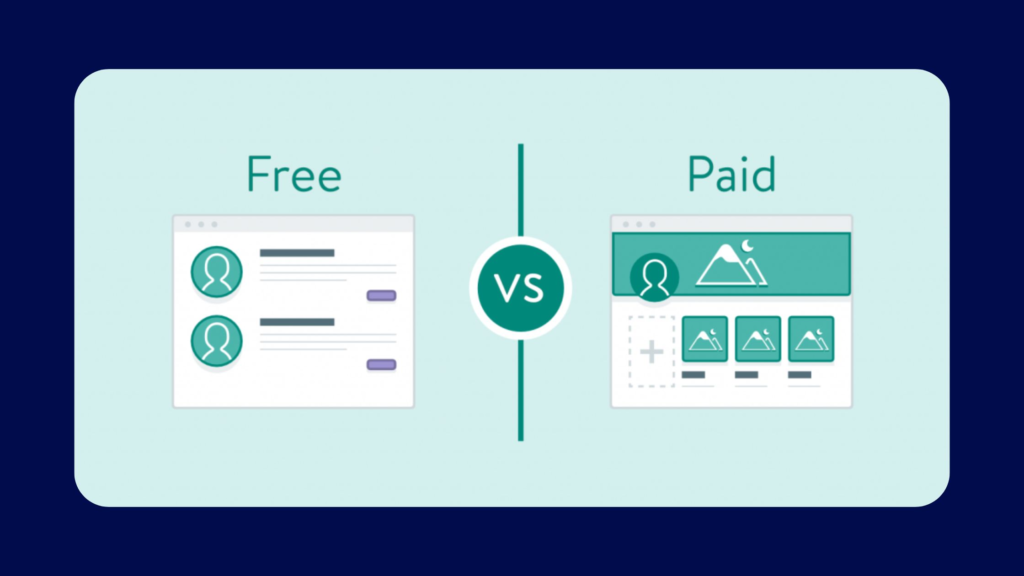
In response to the tough question about whether you need to spend money on SEO tools or if the free ones will be good enough by 2026, I will say it depends on what stage you’re at with your website and your goals for it.
I have been doing SEO for many years now and can say that if you are just starting out or have a smaller website, you can find plenty of free SEO tools which have very good features.
For local businesses, combining these tools with a proper local SEO checklist can make it much easier to improve rankings in Google Maps and local search results.
For keyword research, you can get a lot of value out of Google Keyword Planner, even though it doesn’t provide as much information as the competitive paid options. And many of the free SEO tools will let you track a couple of keywords or perform basic audits of your site, including Ubersuggest and SE Ranking.
Here is a summary of the types of things that free SEO tools will report on:
- Keyword Research: Finding terms people actually search for.
- Technical Audits: Spotting issues like broken links or slow page speeds.
- Rank Tracking: Monitoring where your pages show up in search results.
- Backlink Analysis: Seeing who links to your site (though often limited).
- On-Page Optimization: Checking if your content is set up well for search engines.
When I’m deciding between free and paid, I always ask myself: ‘What’s my budget, and how much is my time worth?’ If a paid tool can save me hours of manual work or help me uncover a strategy that brings in significant revenue, the cost often pays for itself pretty quickly. But if I’m just testing the waters or have a very specific, limited need, I’ll definitely start with the free options.
Wrapping It Up
To sum it up, this article is about my perspective on the top free SEO tools available today. I’ve used each of these tools multiple times to figure out what actually works and when to use them, and I know that it can be overwhelming because there are a lot of tools out there to choose from. You don’t really need a lot of expensive and fancy software to get results.
Pick the one that suits your needs the most, learn about it thoroughly, and spend time using it consistently. You may be surprised at what you can accomplish.
I believe if you only chose one or two of the tools, put your time into using them properly and find success with them over the next few months, then you will soon understand why I wish I had started using any one of these tools years ago.
Frequently Asked Questions
Why should I bother with free SEO tools in 2026?
Even in 2026, free SEO tools are super helpful! They can do a lot of the important jobs, like finding keywords people search for, checking if your website is working well, and seeing where you rank. For many people, especially when they’re just starting out, these free tools are more than enough to get good results. I’ve personally used free tools like Google’s own offerings to get my websites to the top of search results.
What’s the most important thing to look for in a free SEO tool?
The best free SEO tools are the ones that give you accurate information and are easy for you to use. It’s no good if a tool gives you wrong numbers or is so confusing you can’t figure it out. I always check if the data seems right by comparing it with other sources, and I prefer tools that don’t make me feel like I need a special degree to understand them.
Can free tools really help me find good keywords?
Absolutely! Tools like Google Keyword Planner and even just typing into the Google search bar (Google Autocomplete) are fantastic for finding keywords. They show you what people are actually searching for, which is the first step to getting found online. I’ve used these simple methods to discover great keyword ideas that led to a lot of visitors.
Are there free tools to check my website’s health?
Yes, there are! Tools like Google Search Console are completely free and give you a direct look at how Google sees your website. They can tell you if there are technical problems that might be stopping your site from showing up in search results. I find these incredibly useful for fixing issues I might not even know exist.
How do I know if my website is ranking well without paying?
Keeping track of your rankings is possible with free tools. While some advanced rank tracking is usually paid, you can get a good idea by using Google Search Console, which shows you the search terms you’re appearing for. You can also manually check your rankings for important keywords, though this takes more time. For the best free insights, I always start with Google Search Console.
What’s the main difference between free and paid SEO tools?
Think of it like this: free tools are like a great starter bike, and paid tools are like a high-performance race car. Free tools can get you where you need to go for many tasks, especially if you’re learning or don’t have a huge budget. Paid tools usually offer more advanced features, more data, better support, and can handle much larger amounts of work, which is great for big businesses or agencies managing many websites.